


By now you’ve probably seen people talk about how AI tools, like ChatGPT and Claude, can help you manage your finances. I’ve played around with it a little bit but find that I prefer to use AI powered apps instead. Uploading a bunch of documents and “chatting” is a bit too unstructured for me. Fortunately, […]
By now you’ve probably seen people talk about how AI tools, like ChatGPT and Claude, can help you manage your finances.
I’ve played around with it a little bit but find that I prefer to use AI powered apps instead. Uploading a bunch of documents and “chatting” is a bit too unstructured for me.
Fortunately, many popular budgeting and planning tools, like Monarch Money and Boldin, have integrated AI into their tools too.
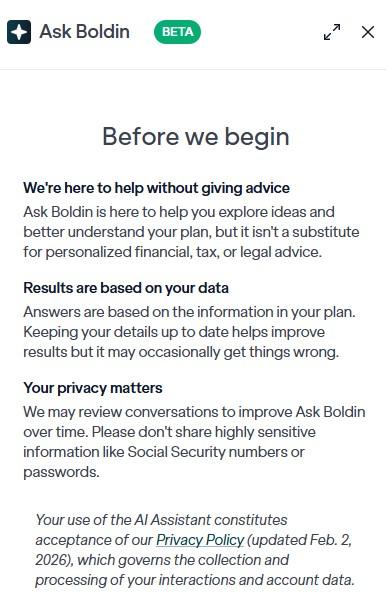
The natural question is – is it safe to put your financial information into these AI powered tools? What about the large language model (LLM) AI tools?
Yes and no.
Here’s my approach:
Table of Contents
Here’s What I Do…
I don’t, on a regular basis, upload sanitized documents directly into ChatGPT or Claude and have it give me a financial analysis. I’ve done it in the past to play with it and see what it could do, but it’s not a part of our personal monthly financial check-in.
I have no concerns with it, I just haven’t found a good use case for it yet and there are already powerful alternatives out there.
I do, however, use Boldin for retirement planning and it has an AI assistant (Ask Boldin) that you can ask questions as if it were a financial coach.
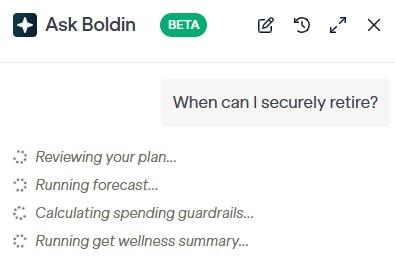
With Boldin, I connect my accounts via Plaid. The Plaid connect is read-only (they all are) and the AI powered coach has access to the data. I suspect the AI powered coach has guardrails where it doesn’t have access to the Plaid connection (not that it could do anything with it, as it’s read-only).
We don’t use a budgeting tool but if we were, I’d probably consider Monarch Money. It’s affordable, well regarded, and has all the features we’d like in a one-stop shop for money management. I haven’t used them in a few years but my friend Jacob has this great Monarch Money tutorial video and it looks powerful.
Treat AI like Email or Cloud Storage
AI tools have privacy controls but by default they store conversations and may use that data to train their models. If you have private information included in anything you upload, that will be stored in your conversations and could be use to train their models – both of which are not ideal.
The solution is to treat AI like cloud storage or email – which is secure until it isn’t. You don’t want someone who got access to your account to be able to discover private information.
Before you upload anything, make sure it’s sanitized first.
Remove or black out:
- Social Security numbers
- Account numbers
- Routing numbers
- Driver’s license numbers
- Passport numbers
- Dates of birth
- Signatures
- Security questions/answers
Next, don’t upload anything that includes that sensitive information, such as:
- Images of passports, driver’s licenses, or other forms of ID
- W-2s with visible SSNs
- Documents containing login credentials
- Password manager exports
- Crypto seed phrases or private keys
- Copies of checks showing routing/account numbers
No financial tool will every need anything personally identifying to make an analysis.
Use Temporary or Incognito Chats
If you don’t want your chats to be saved, most models will have a temporary or incognito chat. The chat won’t appear in your history and won’t be used to train models.
To activate it, open a new chat and look for an icon in the top right. ChatGPT has a dotted speech bubble and Claude has a ghost icon.

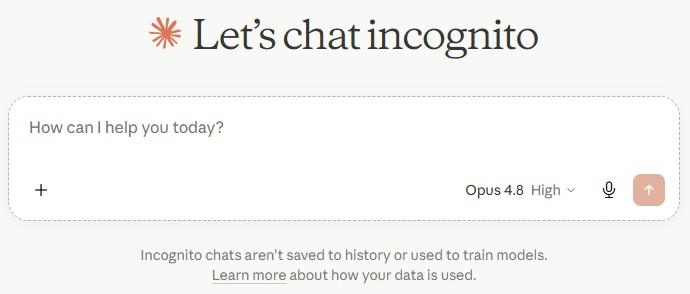
This is a bit annoying as a long term solution because you start over from zero every time you want to talk finances!
Turn Off Training
If you’re concerned your chats or documents will be used for training, you can turn that off.
In ChatGPT, go into settings and look for Data controls. Then turn off “Improve the model for everyone:”
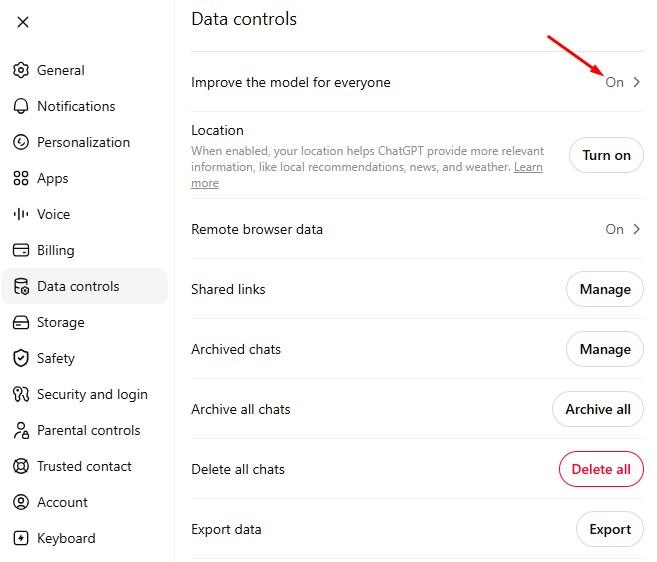
For Claude, it’s under Privacy:
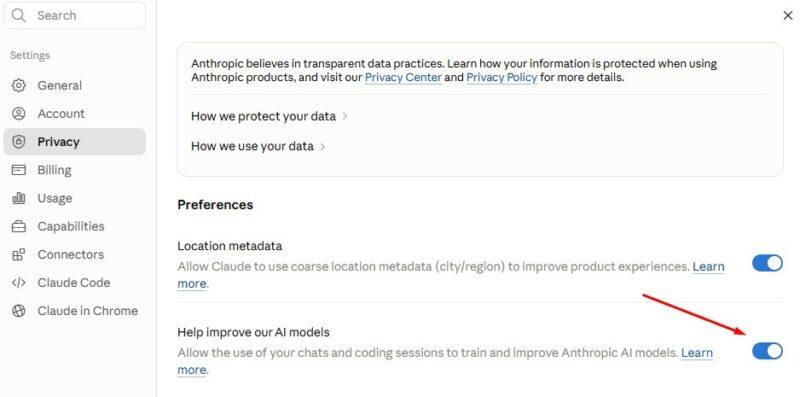
As you can see, all these precautions make conversations a little less valuable.
Which is why people are turning towards AI powered apps instead.
Are AI Powered Apps Safe?
If I was comfortable sharing my data with a company before they implemented AI, I am comfortable with sharing my data after they implemented AI.
The ones I know about use Plaid, which offers a safe way to connect and pull data. Plaid is safe. It only gives read-only access.
What if the company is new? That’s when I might be a little concerned because now you have to assess the company, not the fact that it uses AI. You’ll want to review the company’s history, their privacy policy, their data security team, and what happens to your data if they are acquired or go out of business.
(Boldin is not new, I’m using them as an example of what to look at)
For example, Boldin’s privacy policy clearly states what they collect, how they collect it, and what they use it for. For AI Assistant conversations, they keep them for 90 days unless you opt-in to improve their models. They also state that they do not sell personal information about you. That’s what I want to see, the ability to opt-out of improving models (like with the LLM AI tools) and that they don’t sell personal information (which I want from every tool).
Next, look into their business model.
- Monarch Money is selling you a budgeting and money management tool. Monarch is $8.33 a month (you can get 50% off via links on our site).
- Boldin is helping you plan for and navigate your retirement. It starts free but really unlocks many powerful features at $12/mo.
If they service doesn’t charge you, and it’s not clear what they’re goal is, it’s possible aggregating and selling your data is their business model. With these tools, you don’t want them selling your personal information.
This isn’t an AI powered tool but a company like Fetch Rewards gives you points for scanning receipts and playing games. They sell that consumer data to their partners.
Can you upload sanitized data? If you’re still concerned, rather than use Plaid to connect, can you treat it like the AI tools and upload sanitized data?
If not, that would actually be a red flag for two reasons:
- Some institutions don’t use Plaid. You also might have assets that aren’t contained in a financial account. For completeness sake, any tool that wants to capture your total financial picture would be incomplete if Plaid was the only data entry mechanism.
- If I am forced to use Plaid for institutions, why? That seems like an unnecessary constraint. If the company is using AI, then AI can easily read documents. Why limit it?
Fortunately, I’m not familiar with any AI powered apps that force you to use Plaid. There is always a manual option.
If you are concerned with using Plaid, some (like Kubera) will let you upload sanitized documents. Others only allow you to manually enter your information. You should just be aware that the benefit of Plaid is that your data will be updated automatically. With manual upload, you would have to do that yourself.
Conclusion
If you’re chatting with an AI tool, treat it like email and be safe with your data.
If you’re using a tool that has added AI capabilities, it’s important to take a close look at the company. A company with a clear track record and strong business model is not one I would be worried about.
That said, you still want to take precautions and be safe with your data!
The biggest risk isn’t that a company uses AI, the biggest risk is giving your information to a company you wouldn’t trust even if they didn’t use AI.

